You can do the work to get found on Google, earn the review, and get someone interested. Then lose them at the booking link.
Most business owners set up that little button once and move on. A restaurant adds ordering. A salon connects its calendar. A contractor links to an appointment request. Nobody checks it again until a customer says it doesn't work.
Google's latest Maps update is a good reason to check yours now. Your Google Business Profile booking link should make the next step obvious, and the page behind it should actually deliver. That's useful for customers today, with or without AI.
The practical takeaway
Make it easy to understand what you offer, choose the right location, and complete an order or booking. A better link cannot promise a ranking. A broken one can waste the attention you've already earned.
What Google actually announced
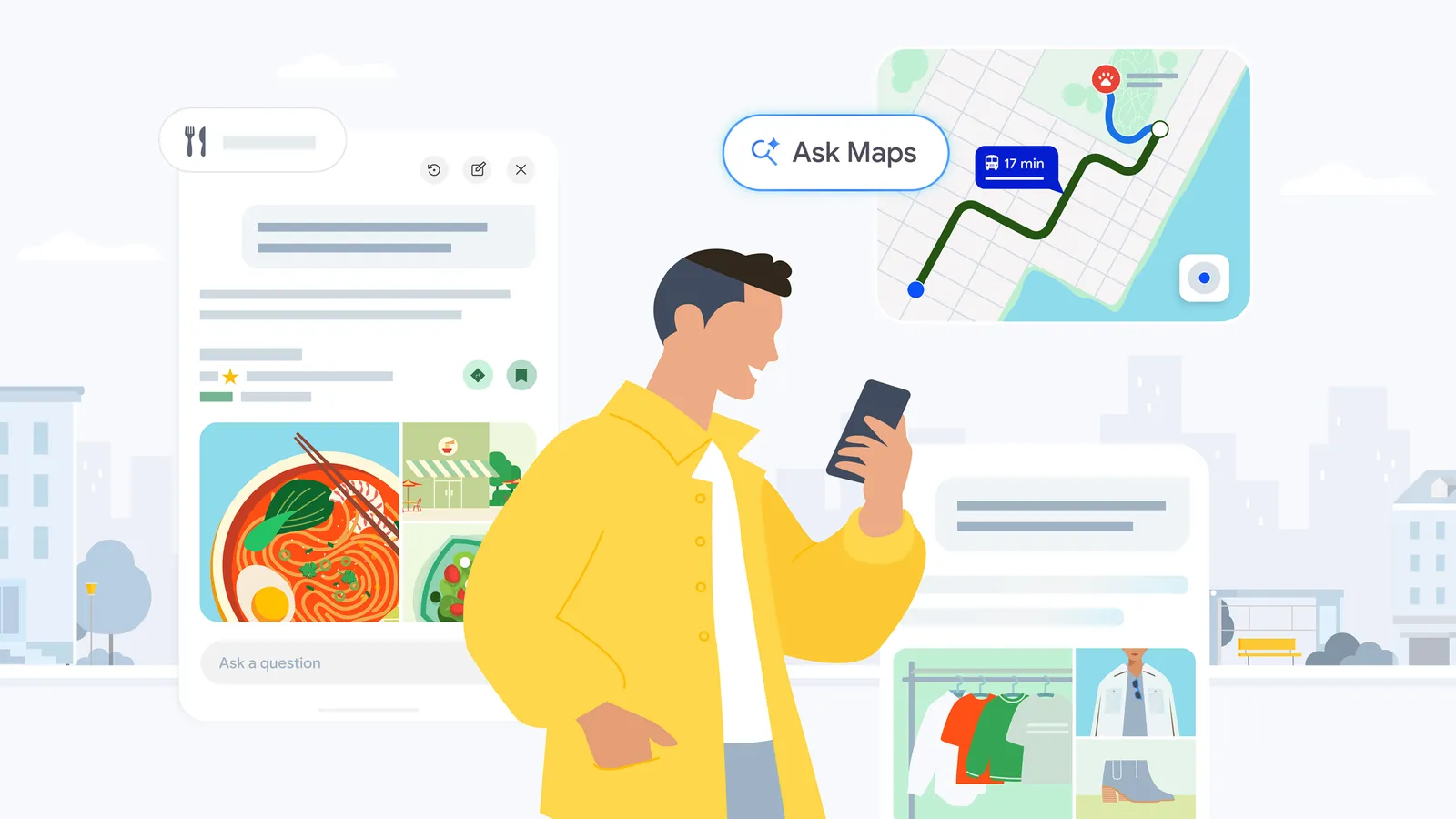
On August 6, 2026, Google announced new agentic capabilities for Ask Maps. In plain English, that means AI can help carry out parts of a task instead of only recommending a business.
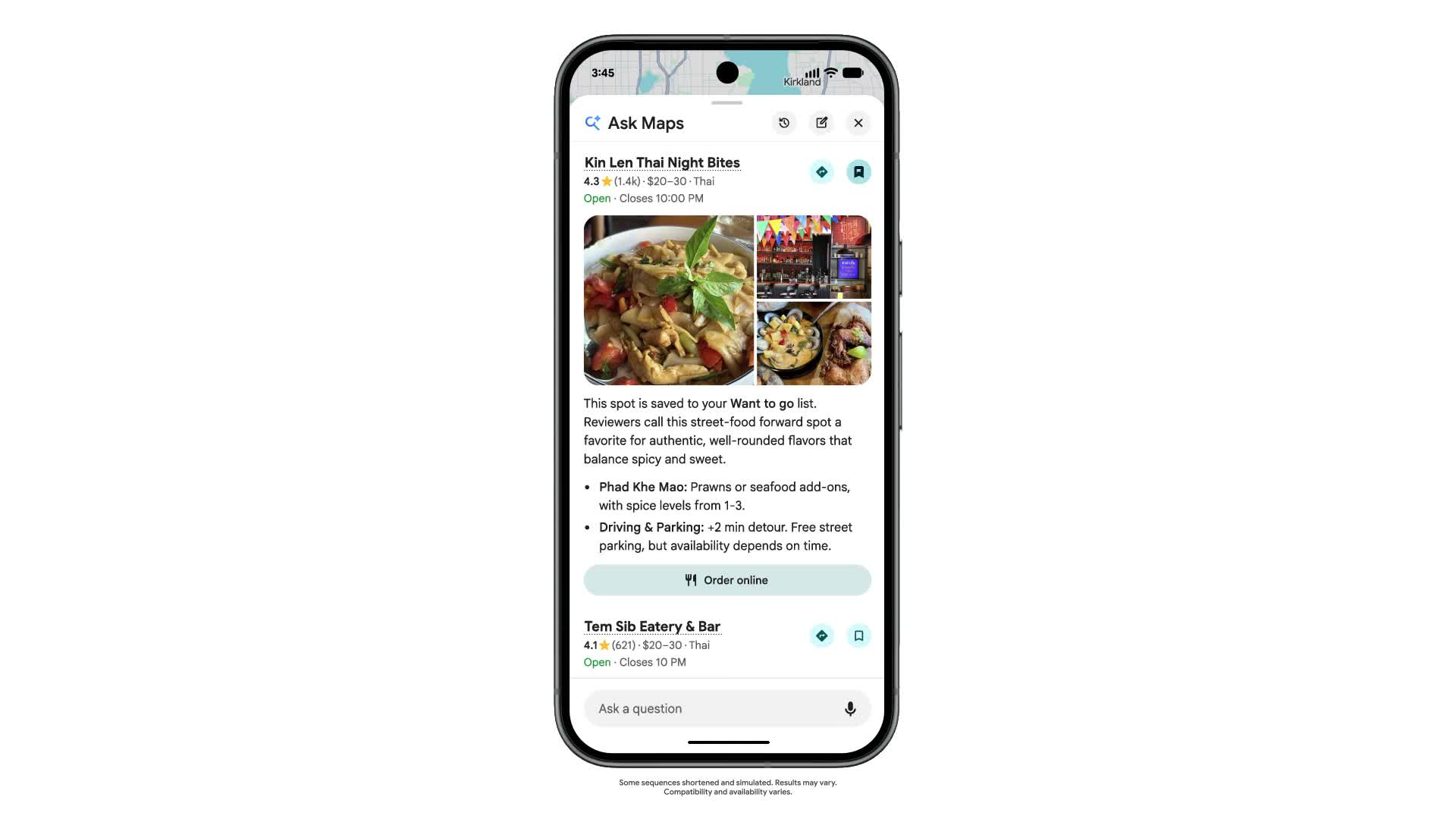
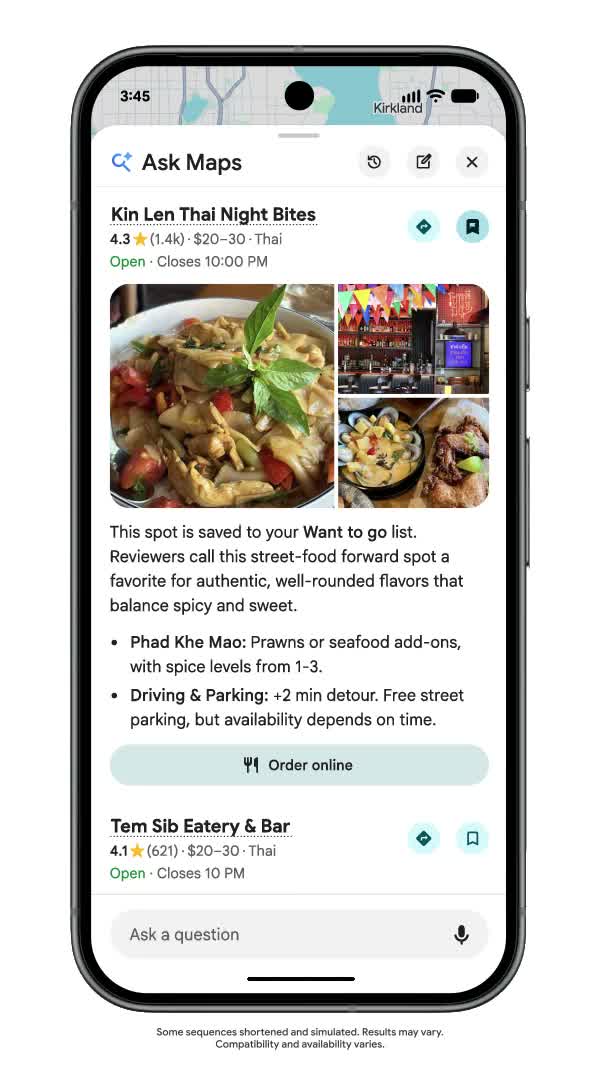
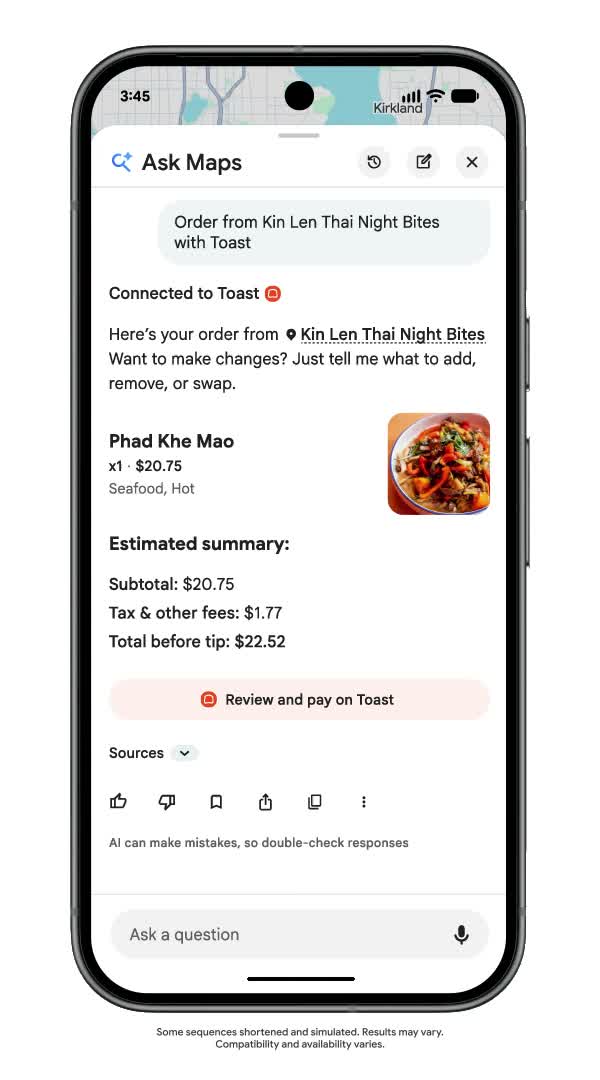
For food ordering, Maps can find suitable restaurants along a route. After the customer chooses one, it can add the requested dish to a cart for the customer to review and finish ordering. Google named Square and Toast as rollout partners, with Uber Eats coming later.
The same announcement described hotel price and availability comparisons and local-event discovery with ticket links. Google said these features were rolling out in the U.S. Read Google's announcement.
Google's current help page specifies that third-party actions require a signed-in Google Account, age 18 or older, and U.S. availability. The experience is currently in English; supported apps can vary by location, language and device. Checkout and order management happen with the third party. Check the current requirements.
Google's product demonstration, not a Local Howl client result. Some sequences are shortened or simulated; results and availability vary.
This does not mean adding a URL lets Ask Maps book every salon appointment or plumbing job. Partner-supported food ordering is different from a normal Business Profile appointment link. Treat the broader opportunity as preparation, not automatic enrollment in an AI feature.
There is a concrete business connection already: Square says eligible U.S. food-and-beverage sellers that activate a Google Business Profile can surface in Ask Maps, with menu, hours and location information synced from Square Dashboard. See Square's announcement.
The opportunity is the customer who is ready to act
Someone browsing restaurants and someone trying to order dinner are at different points in the buying process. So are a homeowner researching water heaters and one trying to schedule a replacement estimate.
Your profile needs to serve that second person well. They shouldn't have to hunt through a homepage, choose a location twice, or call to find out whether an online request actually reserved a time.
Our recommendation is simple: review your listing and the destination page together. That is where Google Business Profile optimization connects to the customer experience, instead of stopping at the profile itself.
If a competitor makes it easier to finish the same task, your customer has a reason to choose them. That's a conversion problem worth fixing even before you know how much traffic an AI feature will send.
Choose a business. The demo pairs restaurant information with an ordering action.
Review the order. The customer continues to the provider for payment.
Stills from Google's official demonstration, cropped to the phone and original disclaimer. This is an illustrated product flow, not evidence of sales generated for the restaurant.
Choose the right link for the job
These are suggested customer journeys, not a promise that every category has every button or Ask Maps capability. Use the options your verified profile actually offers.
Business
Useful destination
What to check
Restaurant
The correct location's ordering page
Menu, pickup location, availability and checkout work together.
Salon or spa
A service and appointment calendar
The customer can choose the service and see available times.
Home-service company
A dedicated scheduling or estimate-request page
It clearly distinguishes a request from a confirmed appointment.
Multi-location business
The page for that specific branch
The profile doesn't send customers to the wrong team or address.
A hotel or ticketed attraction should check its relevant booking or ticket-provider setup, not assume a generic GBP appointment link controls availability in Ask Maps.
Your Google Business Profile booking-link checklist
Check what customers see
Open your public listing on a phone. Follow each booking or ordering option. Check the destination, the location and any third-party providers. Don't stop because the button looks right.
Add or update the appropriate action link
In your Business Profile, choose the available transaction option, such as Booking or Food ordering. Add the destination URL and save it. When multiple links are present, you can select a preferred one. Google's business-link instructions cover the available controls.
Send people directly to the task
Google requires a dedicated business destination that lets customers complete the indicated action. Multi-location links must point to the specific location. Avoid a general homepage when customers need a booking page. Social profiles, messaging links, app-store links and shorteners are not valid action-link substitutes.
Check access and functionality
Google's link-verification systems need access to a working page and its resources. Broken URLs, access restrictions and verification barriers can create problems. Ask your website or booking provider to check the destination against Google's business links policies.
Keep the offer consistent
Compare your profile with your website and booking provider. Does the service name match? Are the hours right? Can a customer select something you no longer offer? Eligible service businesses can also maintain their offerings in the Business Profile services editor.
Test the complete customer journey
Run an authorized test through your booking system, then cancel or remove the test record as appropriate. Check confirmation messages and where the request arrives. An attractive form that nobody receives is not a booking system.
For multiple branches, keep a simple location-by-location record: profile, destination URL, provider, last test date and who owns the fix. Our multi-location SEO guide explains how to keep each market's content and customer journey distinct.
Measure completed actions, not just button clicks
Start with the question an owner actually cares about: did more people place an order, request an estimate or book an appointment?
Where your booking platform supports it, use a consistent tagged link and verify that the tag survives the handoff. If the checkout or calendar lives on another domain, confirm how that provider records completed actions before trusting the attribution.
A link click shows that someone tried to take the next step.
A completed request shows that the form or booking flow worked.
A confirmed appointment or paid order is a separate business outcome to verify in your operating system.
Don't label all Google-referred bookings as Ask Maps bookings unless your data identifies that source. Compare consistent periods, account for seasonality, and keep the number of completed actions beside any percentage change.
Will this improve your Google Maps rankings?
A working action link is not a guaranteed ranking boost or a guarantee that Google's AI will choose you. Google's published local-ranking guidance emphasizes relevance, distance and prominence. Accurate business information still matters. See Google's local-ranking guidance.
The immediate reason to do this is more practical: when someone finds you, give them a useful next step. Keep building visibility with the fundamentals in our home-service local SEO guide, and make sure the resulting attention has somewhere productive to go.
Questions business owners are asking
Is a booking link the same as my website link?
No. Your website link introduces your business. A booking link serves a specific action. Sending both to the homepage can leave customers looking for the thing they already asked to do.
Why can't I add the button I want?
Eligibility varies by business type and region, and the profile must be verified. Check the available profile controls and Google's policies before treating a missing option as a website problem.
Can Ask Maps automatically book my customers now?
Don't assume it can. Google's August announcement describes partner-supported food ordering and hotel and event discovery. A standard appointment link alone does not establish support for AI appointment booking at your business.
What should I fix first?
Start with a broken destination, a wrong-location link or a request that never reaches your team. Then improve the service information and booking experience. Fix the path you already have before adding more ways to reach it.
Make your next click count
Want help with your Google Business Profile?
You have a business to run. Talk with Local Howl about managing and optimizing your profile, or start with a free Local SEO audit to understand what's holding your visibility back.
Reporting checked August 31, 2026 against Google's product announcement, Business Profile help documentation and Square's announcement. Feature availability can change as rollouts expand.
Local SEO for home services is not just about understanding ranking factors. It is about turning those factors into calls, form fills, booked estimates, and profitable routes inside the cities and neighborhoods your crew can actually serve.
Broad ranking-factor guides are useful, but most home service owners do not need an academic list of every possible signal. A plumber, roofer, HVAC contractor, electrician, landscaper, or remodeler needs to know which signals help them show up when a nearby customer searches for emergency help, compares contractors, or looks for a trusted company in the Map Pack.
That is why this guide keeps the ranking factors tied to real home-service situations: service-area coverage, emergency searches, Google Business Profile accuracy, reviews, citations, local authority, and the difference between ranking near your office and ranking where your best customers actually live.
The short version: Google says local results are shaped by relevance, distance, and prominence. For home service businesses, that becomes a practical checklist: make your services clear, prove where you work, strengthen your Google Business Profile, build review and citation trust, and track rankings from the actual neighborhoods that create revenue.
Keynote Speaker on Local SEO | Helping Local Businesses Unlock Google Maps
Nashville, TN
Published July 28, 2026. Last updated July 28, 2026.
Connor works with local business owners and home-service operators on Google Business Profile visibility, local SEO audits, citation gaps, review trust, and Map Pack opportunities. This guide was reviewed against Local Howl sales data, Semrush keyword research, Google's public local ranking guidance, and current local SEO ranking-factor research.
Google's Local Search Algorithm for Home Services
Google describes local ranking around relevance, distance, and prominence. Home service companies need to translate those pillars into service-area proof, GBP accuracy, reviews, and authority.
Google's public guidance explains local ranking through three core ideas: relevance, distance, and prominence. Those ideas are simple, but the way they play out for service-area businesses is not always obvious.
Relevance
Relevance is how well your business matches what someone searched. If a homeowner searches for water heater repair, storm damage roofing, panel replacement, or AC repair, Google needs enough evidence to connect that search to your business. That evidence comes from your Google Business Profile categories and services, your website service pages, your review language, your internal links, and your local content.
Distance
Distance is how close the business is to the searcher or the searched location. A service-area business cannot move closer to every lead. What it can do is make its real service area clear, avoid fake locations, build location relevance with real service pages, and measure Map Pack visibility from multiple points across the area instead of only checking rankings from the office.
Prominence
Prominence is how known, trusted, and referenced the business appears to be. Reviews, links, citations, local mentions, brand searches, and third-party profiles all contribute to that trust picture. For home service companies, prominence is often the difference between being another listing and being the company people already recognize before they click.
How Home Service Businesses Should Read Ranking Factors
Ranking factors are easier to act on when they are connected to actual services, locations, and customer intent.
A ranking-factor list is useful only if it helps you decide what to fix first. For a home service company, that usually means separating Map Pack visibility from local organic visibility, then looking at the specific searches that create leads.
A plumber trying to rank for emergency drain cleaning, a roofer trying to show up after a storm, and an HVAC company trying to win AC repair calls all need the same fundamentals. But the way those fundamentals show up on the website, in the Google Business Profile, and in reviews will look different for each trade.
Local Howl field note: As of July 28, 2026, Local Howl's HubSpot database includes company records matching core home-service trades, including plumbing (3,033), HVAC (2,963), roofing (1,960), contractor (362), and electrician (23). These are prospect/account records, not a client performance claim, but they are why this guide uses trade-specific ranking examples instead of generic local SEO advice.
Real map pack grid scan
What a real map pack grid shows for a home-service company
In one gutter installation market we reviewed, the company was not starting from zero. It had a pocket of strong Map Pack visibility, but the scan also showed exactly where the next wins were hiding: grid points sitting just outside the 3-pack.
Actual map pack grid image from a gutter installation scan. Client name and address are intentionally not shown.
9x9Google Maps grid
81search points
27.16%share of local voice
29near-win points at positions 4-6
That last number is the opportunity. When 29 grid points are ranking #4, #5, or #6 for a high-intent gutter installation search, the first move is not vague “more SEO.” It is a focused push on the locations closest to the 3-pack: stronger local links, review language that naturally mentions service and city, tighter Google Business Profile services, and landing pages for the clusters where the map already shows traction.
Home-service situation
Ranking factors to prioritize
Why it matters
Emergency service calls
GBP categories, open hours, reviews, call buttons, service pages
Customers need help now and often choose from the Map Pack.
High-value comparison searches
On-page depth, reviews, photos, local links, project proof
Roofing, remodeling, HVAC replacement, and electrical upgrades require more trust before the click.
Service-area expansion
City pages, service-area proof, citations, Map Pack grid tracking
A business may rank near its office while missing nearby towns that produce profitable jobs.
Trust recovery after messy listings
NAP consistency, duplicate cleanup, category cleanup, review response
Old listings and conflicting data can weaken confidence in the business.
Local Search Ranking Factors: Grouped for Home Services
For home service owners, the ranking-factor conversation gets easier when the signals are grouped into practical buckets. BrightLocal's summary of the Whitespark 2026 Local Search Ranking Factors survey shows a clear split: the Map Pack leans heavily on Google Business Profile and reviews, while local organic visibility leans more on on-page content and links. That is why Google Map Pack ranking factors and local organic ranking factors should be reviewed separately before deciding what to fix first.
Local Pack / Maps Ranking Factors Grouped
Local Organic Ranking Factors Grouped
1. Google Business Profile (32%)
1. On-page (33%)
2. Reviews (20%)
2. Links (24%)
3. On-page (15%)
3. Behavioral (10%)
4. Behavioral (9%)
4. Personalization (8%)
5. Links (8%)
5. Google Business Profile (7%)
6. Citations (6%)
5. Citations (7%)
6. Personalization (6%)
7. Reviews (6%)
7. Social (4%)
8. Social (5%)
Source: Whitespark Local Search Ranking Factors survey data summarized by BrightLocal. Percentages are best used as prioritization guidance, not as exact ranking formulas.
The home-service takeaway is simple: if you want more calls from Google Maps, start with the profile, reviews, proximity/service-area proof, and conversion behavior. If you want more traffic from standard organic results, start with dedicated service pages, strong internal links, useful local content, and authority-building.
What to prioritize first: Map Pack growth usually starts with Google Business Profile accuracy, review momentum, and proof that you serve the searched area. Local organic growth usually starts with better service pages, internal links, and authority. A home service company needs both, but the order matters when budget and time are limited.
Individual Local Ranking Factors Home Service Businesses Should Watch
There are more than 180 possible local ranking factors in the Whitespark survey, but most SMB owners do not need to chase every signal. These top individual factors are the ones a plumber, roofer, HVAC company, electrician, contractor, landscaper, or remodeler should understand first.
Local Pack / Maps Ranking Factors
Local Organic Ranking Factors
1. Primary GBP category
1. Dedicated page for each service
2. Proximity of address to the point of search
2. Geographic keyword relevance of content
3. Keywords in GBP business title
3. Quality and authority of inbound links to domain
4. Physical address in the city of search
4. Keywords in GBP landing page title tag
5. Business is open at the time of search
5. Inbound links from industry-relevant domains
6. High Google star ratings
6. Internal linking across website
7. Address shows on GBP
7. Relevant service keywords across website
8. Additional GBP categories
8. Keywords in GBP landing page headings
9. Number of native Google reviews with text
9. Website focuses on a specific niche
10. Map pin properly placed
10. Keywords in inbound link anchor text
11. Recency of reviews
11. Keywords in title tags across website
12. Proximity of address to center
12. Diversity of inbound links to domain
13. Clickthrough rate from local search results
13. Inbound links from locally relevant domains
14. Steady growth of reviews over time
14. Volume of quality content across website
15. HTML NAP matching GBP NAP
15. Keywords in headings across website
This table is included for education and prioritization. For service-area businesses, some address-based factors may be less directly controllable, which makes category accuracy, service pages, reviews, citations, and tracking even more important.
What Each Individual Ranking Factor Group Means
On-page optimization
On-page optimization is the clearest path to relevance. A home service website should have a dedicated page for each important service, location-aware copy, strong title tags, descriptive headings, helpful internal links, image alt text, and schema that matches the visible content. This is what helps Google understand the difference between a company that generally says it does "home services" and a company that clearly offers drain cleaning, panel upgrades, roof repair, AC replacement, or remodeling in a specific service area.
For Map Pack visibility, the Google Business Profile is usually the highest-leverage asset. The primary category, secondary categories, services, business title accuracy, hours, photos, service areas, products, Q&A, and landing page all help Google understand when the company should show. A home service company should never stuff keywords into the business name unless those words are part of the real-world business name.
Links still matter because they help prove authority and relevance. For a home service business, the best links usually come from local organizations, sponsorships, suppliers, associations, chambers of commerce, neighborhood resources, industry sites, and useful content that earns mentions. A smaller number of relevant local links can be more valuable than a pile of generic, low-quality links.
Reviews influence both rankings and conversion. Star rating, review volume, review text, review freshness, review growth, and owner responses all help shape trust. For home services, the best review programs ask real customers for specific feedback after completed jobs, then respond like a real business instead of using canned replies everywhere.
Citations are still useful because they reinforce the business's name, address, phone number, website, category, and service-area data across the web. They become especially important when a company has old addresses, duplicate listings, tracking numbers, or inconsistent NAP data from years of directory submissions.
Behavioral signals are the actions searchers take: clicks, calls, direction requests, dwell time, and whether they return to search again. A business cannot force those signals, but it can improve them with clearer titles, better meta descriptions, stronger GBP copy, accurate categories, helpful photos, trust-building reviews, and fast mobile pages.
Personalization signals
Personalization changes search results based on where the searcher is, what they have searched before, and which businesses they seem to prefer. Home service companies cannot fully control personalization, so the practical move is to track rankings across the actual neighborhoods and ZIP codes that matter instead of judging visibility from one office location.
Social activity is rarely the first local SEO lever to pull, but it can support prominence. Active profiles, customer engagement, local proof, project photos, videos, and review activity can help a home service brand look more real and trusted across the web. For most service businesses, social should support proof and conversion rather than distract from GBP, reviews, service pages, and citations.
1. On-Page Relevance: Show Google What You Actually Do
A home service page should make the service, city, proof, and next action obvious without repeating the same keyword until it sounds unnatural.
On-page relevance is where many home service websites lose the plot. They either create thin city pages with barely any unique value or bury their actual services under generic copy like "quality solutions for your needs." Neither approach helps a search engine or a homeowner understand why that company is the right result.
A strong service page should answer the basic local questions quickly: what service do you provide, where do you provide it, what problems do you solve, what proof do you have, and what should the visitor do next?
What to optimize
Title tag: Put the service and market naturally in the page title.
H1: Make the page topic obvious, such as "AC Repair in St. Louis" or "Roof Repair for Storm Damage."
Service copy: Explain symptoms, service types, common jobs, and what makes the crew qualified.
Local proof: Mention real service areas, project types, neighborhoods, photos, permits, warranties, or team details only when true.
Internal links: Link from related services, city pages, audit pages, and Google Business Profile resources with descriptive anchor text.
Schema: Add supported LocalBusiness, Service, FAQ, and Article schema where the visible page content backs it up.
Strong Local Keyword Research helps separate the searches that create calls from the searches that only create impressions. For service businesses, that means looking at service type, urgency, city, neighborhood, seasonality, and problem language.
2. Google Business Profile Signals: Make the Map Pack Trust You
For service-area businesses, GBP optimization should support both rankings and conversion behavior.
Your Google Business Profile is one of the clearest local relevance signals you control. For a home service company, that means choosing accurate primary and secondary categories, building out services, adding real photos, answering questions, earning reviews, and making it easy for customers to call.
This is where Google Business Profile optimization services matter. A profile can look complete on the surface while still missing the signals that connect it to high-value searches.
Profile details that matter
Primary category: Pick the category that best matches the main money service.
Additional categories: Use relevant categories without drifting into services you do not actually perform.
Services: Add clear service names that match the website and real customer jobs.
Photos: Use real team, vehicle, equipment, project, and location photos when available.
Reviews: Ask for reviews consistently and respond with useful, human replies.
Conversion paths: Make sure phone, website, booking, messaging, and service-area settings are correct.
Do not create fake locations. Service-area businesses should not use fake storefronts, rented mailboxes, or addresses that do not represent a real eligible location. That can create trust and compliance problems instead of sustainable rankings.
3. Reviews and Prominence: Build Trust Before the Click
Prominence is not one tactic. It is the combined trust picture around the business.
Reviews are not just a conversion layer. They help describe what your company does, which jobs customers trust you with, where you work, and how recently people have chosen you. For a home service company, review content often contains the exact language future customers use when they search.
The goal is not to game reviews. The goal is to build a real review system: ask at the right moment, make it easy, respond to customers, and look for repeated service themes that should also appear on the website.
A structured Online Reputation Management process helps turn review requests, responses, and review themes into a steady trust signal instead of a once-in-a-while task.
Prominence also includes authority
Prominence grows when reputable websites, directories, local organizations, suppliers, sponsorship pages, associations, and press mentions connect your brand to the services and locations you actually serve. That is why Local Authority Building should support the article's prominence section.
For local SEO, citation cleanup is boring in the best possible way: it removes confusion from the ecosystem around your business.
Citations are business mentions across directories, maps, local platforms, industry sites, and data aggregators. For home service businesses, citations can get messy fast: old phone numbers, moved offices, duplicate profiles, outdated service names, and inconsistent URLs all create friction.
This is not always the highest-impact lever, but it is often a low-hanging fix. A local SEO citation audit can show where the business has conflicting data, and business listings and local citations work can help clean up the trust signals around the company.
What to check in a citation audit
Business name formatting
Primary phone number
Website URL
Real address or service-area settings
Duplicate listings
Wrong categories
Closed or moved locations
Major directories and industry-specific directories
5. Map Pack Gaps: Track the Places That Create Calls
A single rank check from your office can hide the neighborhoods where competitors are taking calls.
A home service company does not rank the same everywhere. You might show up near your office, disappear five miles away, and lose the suburbs where your best jobs happen. That is why a practical home-service ranking-factor strategy needs Map Pack tracking by location, not only a generic keyword ranking report.
A local SEO competitor analysis helps turn ranking-factor theory into a practical comparison: who is beating you, where they are winning, and which signals appear to be making the difference.
What to compare against competitors
Primary and secondary GBP categories
Review volume, review velocity, and review themes
Service page depth and city relevance
Citation consistency and duplicate listings
Local backlinks and community mentions
Map Pack visibility across target ZIP codes and neighborhoods
After the gaps are clear, local SEO tracking and reporting keeps the strategy honest. You should be able to see whether visibility is expanding across the service area and whether that visibility is turning into calls or booked work.
How Ranking Factors Change by Home Service Category
The ranking factors stay the same at the principle level, but the execution changes by trade. The examples below show why a generic local SEO checklist is not enough for a service-area business.
Semrush keyword research for Local Howl showed the best low-hanging commercial opportunities are trade-specific pages and sections, not generic "learn SEO" content. This guide should support those future service pages while still ranking on its own for local SEO for home services and service-area business SEO.
Home-service segment
Commercial keyword angle
Ranking-factor focus
Plumbing companies
local SEO for plumbers
Emergency calls, drain cleaning, water heaters, fast-response reviews, and service-area proof.
Electrical companies
local SEO for electricians
Panel upgrades, EV chargers, inspections, licensing proof, city relevance, and trust signals.
Roofing companies
local SEO for roofers
Storm damage, roof repair, replacement pages, insurance-related proof, and local authority.
HVAC companies
local SEO services for HVAC contractors
Seasonal repair/replacement intent, maintenance plans, AC/furnace pages, and GBP service accuracy.
Local SEO for plumbers should emphasize emergency service, water heater repair, drain cleaning, leak detection, service-area coverage, and review language tied to fast response. This keyword is commercially attractive because plumbing searches often happen when the homeowner needs help now.
Electricians
Local SEO for electricians should focus on panel upgrades, repairs, EV charger installation, inspections, emergency calls, and proof that the company serves the searched city legally and reliably.
Roofers
Local SEO for roofers should connect storm damage, roof repair, replacement, insurance-related searches, and service-area proof. Roofing pages need trust signals because the job size is larger and customers compare more carefully.
HVAC companies
Local SEO services for HVAC contractors should separate repair, replacement, maintenance, AC, furnace, heat pump, and emergency search intent. Seasonal visibility matters, so content and GBP updates should be planned before demand spikes.
Contractors and remodelers
Local SEO for contractors and remodeling companies should show proof of project types, service area, specialties, licensing where applicable, and photo evidence. These searches are not always urgent, so authority and trust content matter more.
Fastest wins: For most home-service companies, the first month should not be a giant content calendar. It should be a focused cleanup of the pages and profiles already closest to producing calls: the primary Google Business Profile, the top service pages, citation problems, review flow, and Map Pack gaps in the neighborhoods with real revenue potential.
A Practical 30-Day Action Plan
Run a Local SEO Audit: Use a free local SEO audit to check GBP, citations, service pages, reviews, rankings, and competitor gaps before changing anything.
Fix GBP relevance: Tighten categories, services, photos, service areas, and conversion paths.
Improve the top service pages: Add real service detail, internal links, FAQs, schema, proof, and clearer CTAs.
Clean up citations: Correct NAP issues, duplicates, and outdated listings.
Build review momentum: Add a repeatable ask-and-response process after completed jobs.
Map competitor gaps: Track visibility from the neighborhoods and ZIP codes that create real revenue.
Create industry pages: Build focused pages for plumbers, electricians, roofers, HVAC contractors, and general contractors if those services are part of the sales strategy.
FAQ
What local ranking factor should a home service business fix first?
Start with the factor that is most obviously blocking visibility or trust. For many home service businesses, that means fixing Google Business Profile categories and services, improving the main service pages, cleaning up citations, and building a steadier review process before chasing advanced tactics.
How do you rank higher in Google Maps for home services?
To rank higher in Google Maps, improve the signals that affect Map Pack visibility: accurate GBP categories, clear services, real photos, consistent reviews, correct service-area settings, clean citations, useful service pages, and local authority. Then track rankings from the neighborhoods and ZIP codes where customers actually search.
Are Map Pack rankings and organic rankings affected by the same factors?
They overlap, but they are not identical. Map Pack rankings lean more heavily on Google Business Profile signals, proximity, reviews, and local behavior. Local organic rankings lean more heavily on on-page content, internal links, backlinks, topical relevance, and website authority.
Can a service-area business rank without showing its address?
Yes, but the business still needs real-world trust signals. Service-area businesses should keep their Google Business Profile accurate, use real service areas, avoid fake locations, build strong service and city relevance on the website, earn reviews, and keep listings consistent.
How long does local SEO take for home service companies?
Simple fixes like GBP updates, citation cleanup, and page improvements can help quickly, but stronger local visibility usually takes months of consistent work. Reviews, content, links, and service-area authority build over time.
Sources and methodology: This article uses Google's public local ranking guidance, Whitespark Local Search Ranking Factors survey data summarized by BrightLocal, Local Howl's live service pages, Semrush US keyword data checked July 28, 2026, and anonymized Local Howl HubSpot record counts for home-service market context. Ranking-factor surveys are best used for prioritization, not as exact formulas.
Want to see which ranking factors are holding your home service business back?
Local Howl can review your Google Business Profile, Map Pack visibility, service pages, citations, reviews, and competitor gaps so you know what to fix first. See our local SEO services for home service businesses or start with the audit below.