
Reporting helps you review search visibility, website activity and recorded requests. Available reports and tracking depend on your agreed plan and connected data sources; no single report captures every customer journey.
Why Tracking Matters
for Local SEO

No one can buy, if they can't find you
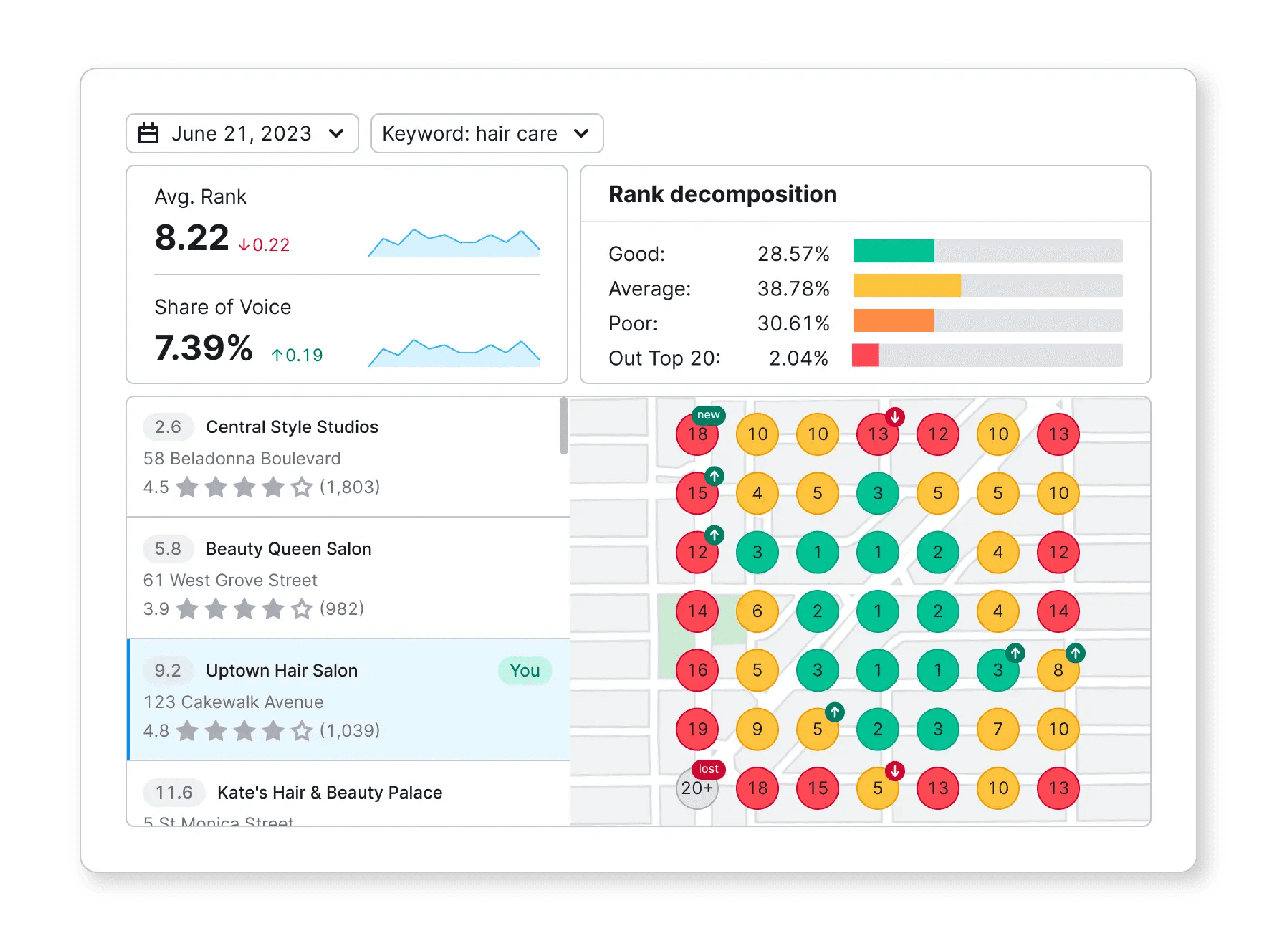
Visibility helps customers discover you, but ranking alone is not the final result. If relevant visits rise without requests, review the page, offer and next step before expanding keyword targets. The dashboard graphic is an illustration, not verified Local Howl client performance.


Twilio Call Tracking
Where call tracking is configured, review recorded calls by the available source. A call is not automatically a qualified lead.
UTM-Tagged URLs +
Google Analytics
Consistent campaign tags help identify visits from tagged links. Consent, untagged links and cross-device journeys limit attribution.
Map-Grid Visibility
Compare the same query, grid and scan settings over time. A grid is a location-specific snapshot, not a universal ranking.
Review Activity and Feedback
Review received feedback and recurring themes. Customers choose their own wording; keyword-rich reviews are not the reporting goal.
Backlink Monitoring + Technical Benchmarking
Review referring pages and documented website issues. Tool scores and error counts are diagnostics, not business outcomes.
Local Search Intent Tracking
Group relevant searches by customer need and compare available impressions, clicks and positions. Avoid combining unrelated queries into one success metric.
See Where You Stand
Illustrative report structure—not client results. A useful report states the period, comparison period and source before presenting numbers. Keep Google Search clicks, website sessions, Google Business Profile interactions and received requests separate. For each change, record the observation, possible explanation and next action. Example: relevant impressions increased but clicks did not; inspect the queries and search results before testing the page’s title. This is a decision example, not a claim about a client. Qualification requires reviewing an actual received request. Analytics events, clicks and calls alone do not establish whether a prospect is a relevant business owner seeking help.
Download the evidence library (.zip) for a dated Local Howl reporting example. Extract the ZIP and open local-howl-reporting-example.html. It separates historical Search Console observations, website activity and unavailable qualified-request data, with source periods and limitations. These are baseline observations—not results from the latest website changes.
Understand Progress and Choose Next Steps
Review the available reporting approach, the questions it can answer and the limits of the data. Use the findings to prioritize the next practical SEO change.
Tracking and Reporting FAQ

What exactly is "Tracking and Reporting" in local SEO?
It is the collection and explanation of available search visibility, website activity and recorded requests. A useful report states its sources, dates and limitations, then identifies the next practical action.
Why does tracking matter for my local business?
It helps you compare visibility, activity and recorded requests, then decide what to investigate next. Reporting shows evidence and limitations; it does not prove every activity’s individual contribution.
What tools does Local Howl use for tracking and reporting?
Available tools depend on your agreed plan and connected sources. These may include Google Search Console, Google Analytics, configured call tracking and map-grid scans. Each source measures different activity and has limitations.
How do I know where my leads and website visitors come from?
Tagged links, analytics and configured call tracking can identify some recorded sources. Missing tags, consent and cross-device journeys leave gaps. Confirm a request’s quality separately from its recorded source.
What is call tracking, and why should I use it?
Call tracking can associate recorded calls with configured numbers or sources. Setup should preserve accurate business contact information. Review call quality separately; not every call is a new sales inquiry.
Can I see how my business ranks in local searches?
Where ranking reports are included, compare the same query, location, device and scan settings over time. A map-grid scan is a snapshot of the measured locations, not every searcher’s result.
What is citation tracking, and how does it help my business?
Citation tracking checks business details and listing status across the platforms reviewed. It can identify incorrect information and pending changes; a corrected listing does not prove a ranking improvement.
What metrics are included in my local SEO reports?
Available metrics depend on the agreed plan and connected sources. Reports should distinguish search visibility, website visits, profile interactions and recorded requests, with dates and definitions next to the numbers.
How do I measure ROI from local SEO efforts?
Compare SEO costs with verified business outcomes where attribution is available. Requests and calls are not revenue, and analytics cannot establish the source of every customer. Record those limits when estimating return.
How frequently will I get tracking and progress reports?
Confirm the reporting schedule and review process in your agreed plan. Each report should state its period and comparison period, with any missing or delayed data noted.